Step 2
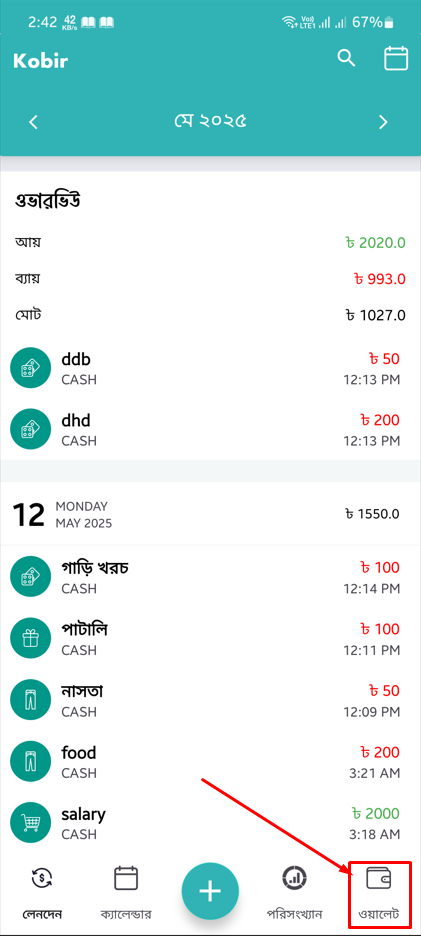
Tap the 'Wallet' tab to go to the wallet page.
Follow the steps below to permanently delete your account from the app:
Open the app. It will open on the 'Lenden' (transaction) page.
Tap the 'Wallet' tab to go to the wallet page.
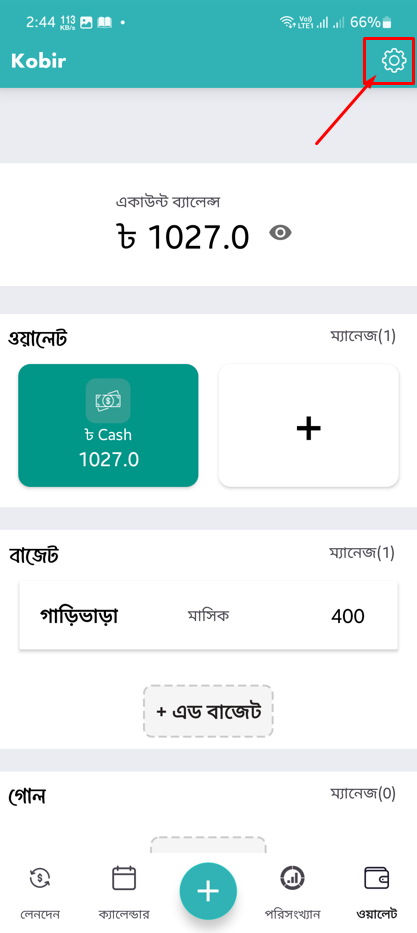
Tap the 'Settings' button.
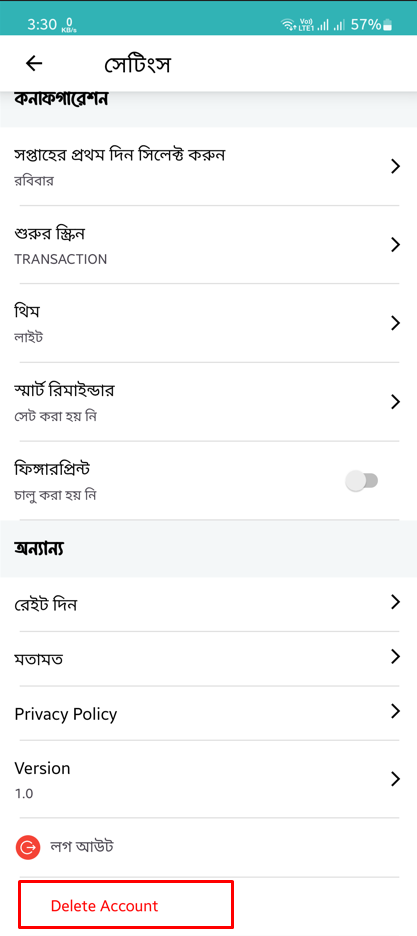
Scroll down and tap 'Delete Account'.
A confirmation dialog will appear. Tap 'Yes' to confirm.
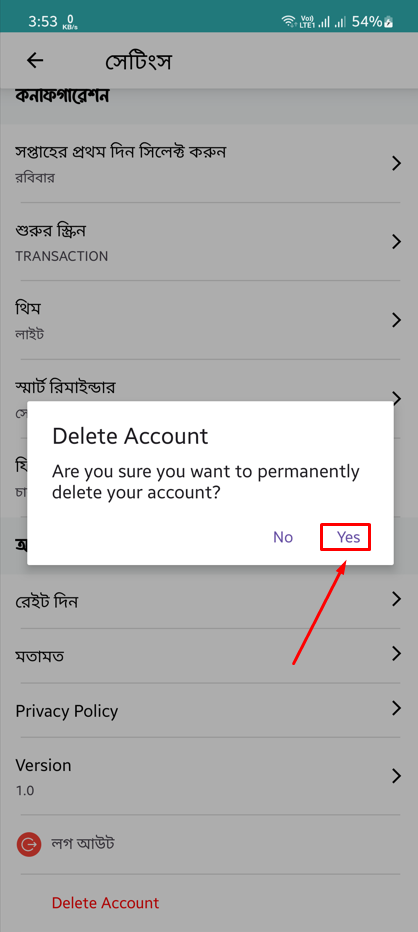
Your account will be permanently deleted.